




UNIT 616 6/F KAM TEEM INDUSTRIAL BUILDING 135 CONNAUGHT ROAD WEST SAI WAN HONGKONG.
Copyright © 2026 NOVABEYOND LIMITED (company number 2833487). All rights reserved.
Introduction
Your MediaGo campaign shows Active. Creatives are uploaded. Budget is sitting in the account. Then the dashboard stays flat: almost no impressions, no clicks, and no spend.
On open-web native and display, "live" does not always mean "eligible to win auctions." A rejected creative, a destination URL that never cleared review, an aggressive site blocklist, a CPC that cannot clear the auction, or a broken postback can all produce the same symptom: zero traffic.
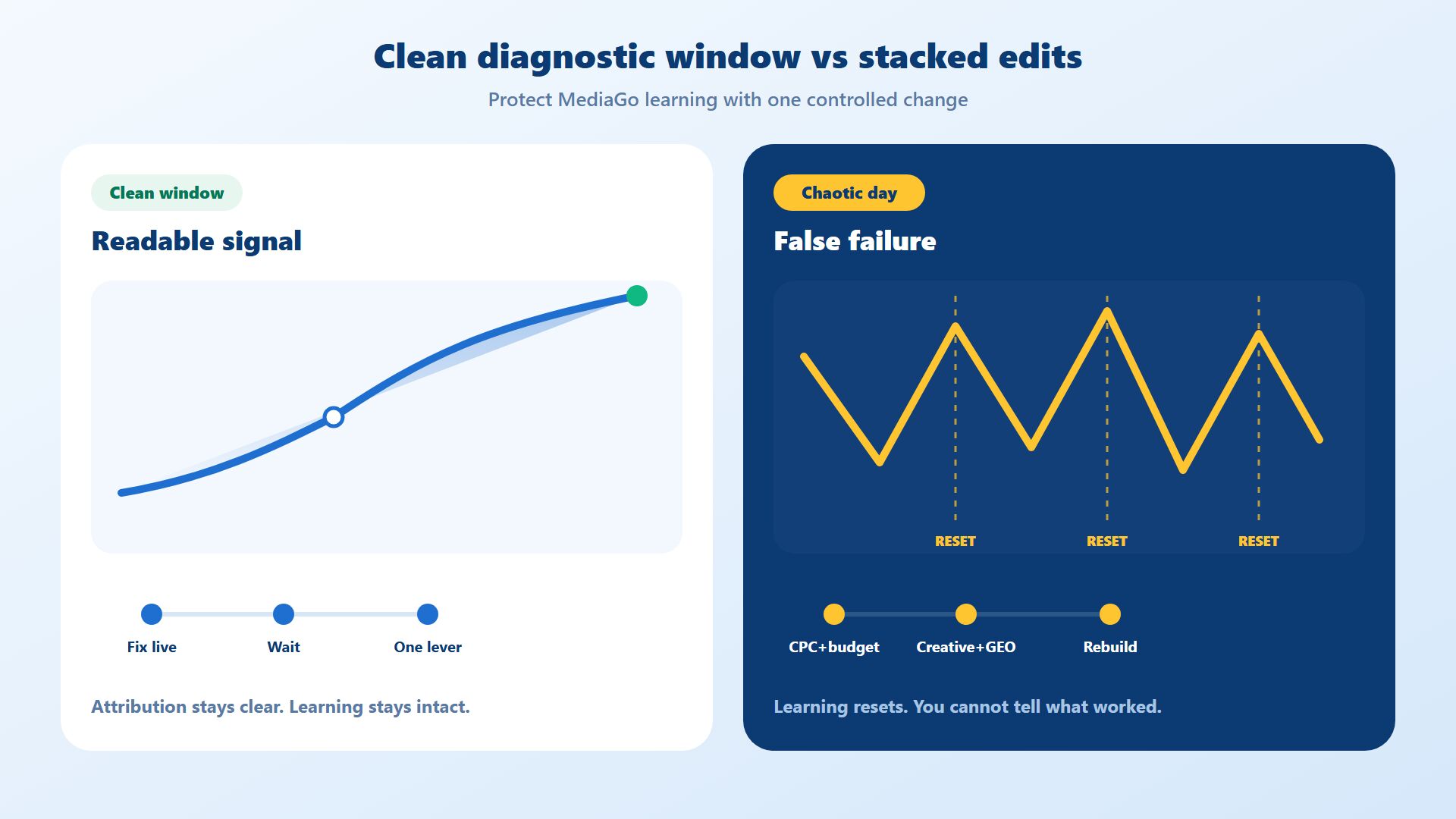
Raising budget first rarely fixes it. Stacking bid, audience, creative, and landing-page edits in one hour makes diagnosis worse. MediaGo's operator guidance groups delivery failures into creatives, targeting, bidding, and campaign duration. Run that list in order, prove each layer, then change one variable at a time.
Quick Answer
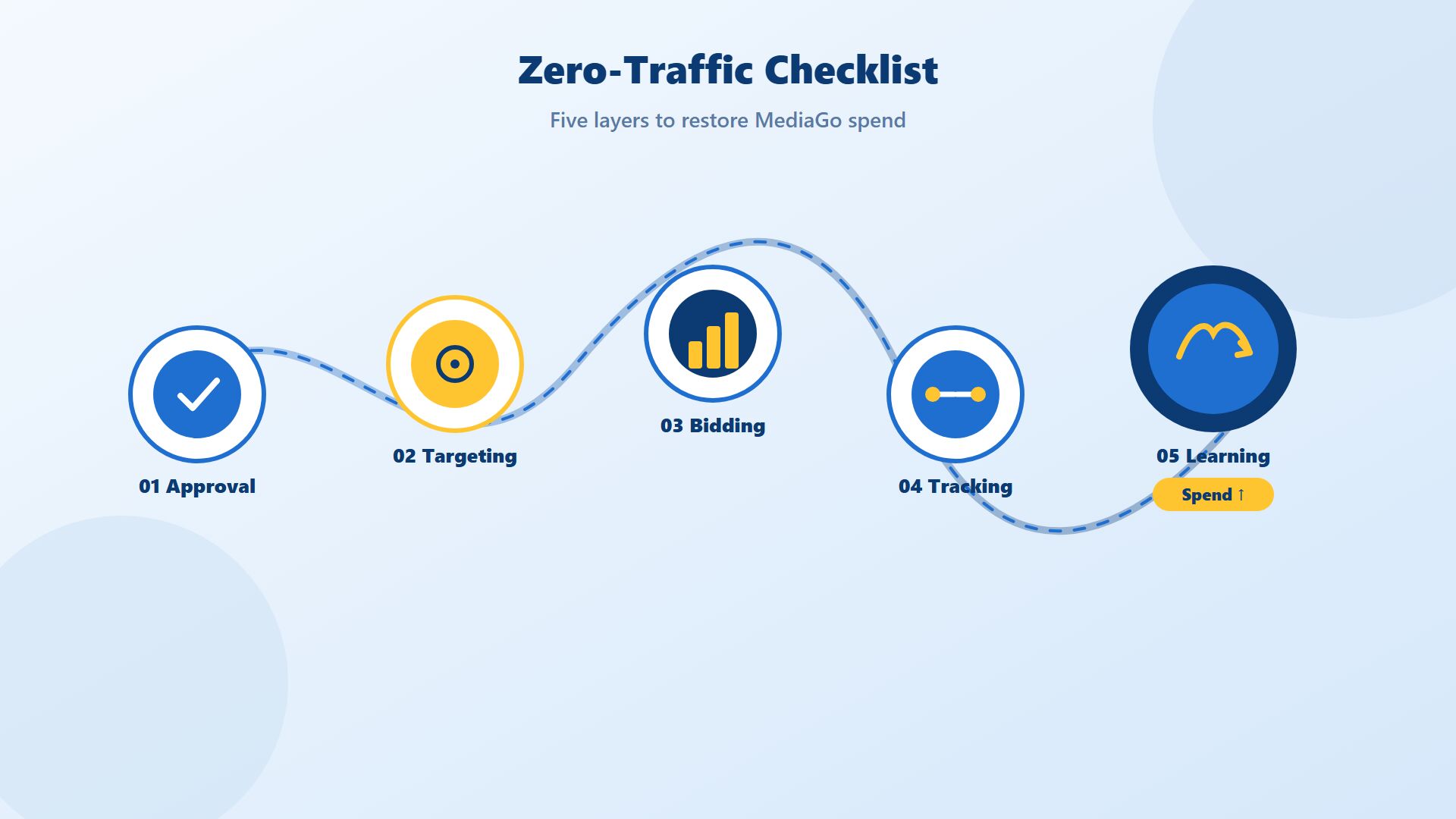
MediaGo ads not delivering usually means the campaign is active in the UI but blocked from winning open-web inventory. Work this sequence before you raise budget:
Confirm creative and destination URL approval (including URL pre-approval and live creative status).
Audit targeting, dayparting, and site blocklists for over-restriction or self-competition across campaigns.
Recheck CPC, SmartBid / Max CV settings, daily cap, and spend pacing against auction reality.
Verify tracking macros and S2S postbacks so the algorithm receives usable conversion signals.
Give the campaign enough stable runtime, then scale with controlled changes rather than stacked edits.
Do not change all five layers in one session. Fix the first proven blocker, wait for a clean read, then move to the next.
1. Confirm Approval Status Before You Touch Bidding
Zero traffic often starts above auction. If the destination URL failed pre-approval, or a creative is rejected or later taken offline, MediaGo cannot deliver even when the campaign toggle says Active.
MediaGo inventory sits next to editorial content on premium open-web publishers, so destination review is stricter than many social self-serve setups. Landing-page quality is the main rejection driver: unsupported claims, ad-to-page mismatch, thin or broken pages, missing legal pages, or cloaking. Creative rejection and unexpected review outcomes also cut delivery, which is why MediaGo has invested in review diagnostics such as Approval Copilot.
What to check first
| Check | Pass signal | Fail signal |
| Campaign / ad status | Active and serving | In review, rejected, paused one level up |
| Destination URL | Pre-approved and matching the ad promise | Pending, rejected, or mismatched offer |
| Creative set | At least one approved asset live | All assets rejected or unexpectedly offline |
| Landing page QA | Fast mobile load, working CTAs, real policy pages | Broken links, placeholders, deceptive claims |
What to do
Open the campaign and every ad set. Confirm status at campaign, ad, and creative levels. Do not assume a parent "Active" covers a rejected child asset.
Re-open the live landing page on mobile and desktop. Confirm the offer matches the headline and thumbnail. Check privacy policy, terms, and contact paths. Fix the page before you resubmit.
If the URL never cleared pre-approval, pause spend planning until it does. Funding an account that cannot pass destination review wastes time and creates false "platform does not work" narratives.
When the blocker is documentation, billing, or seat access rather than a single creative, return to account fundamentals. Novabeyond's MediaGo ad account guide covers onboarding and funding workflows that keep campaigns operationally ready.
Operator rule: Do not raise CPC to "force delivery" while approval is red. You will not win inventory you are not allowed to buy.
2. Audit Targeting, Blocklists, and Self-Competition
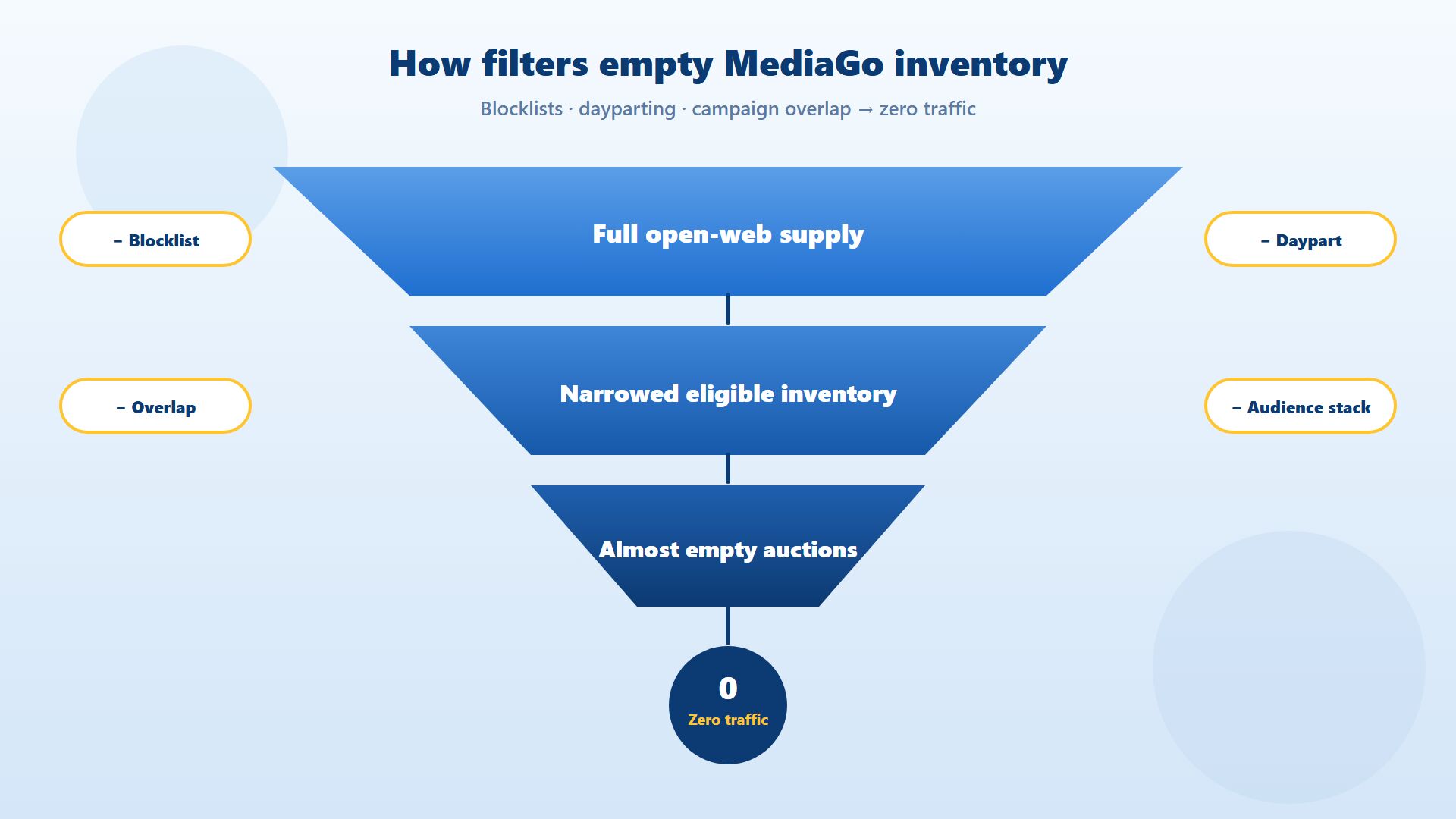
If approval is clean and traffic is still zero, the campaign may be eligible in theory and empty in practice. MediaGo's zero-traffic guidance calls out overly strict blocklists and campaigns competing against each other in the same auction.
Open-web native gives more control than closed recommendation networks. That helps quality, and it also lets teams accidentally exclude most available supply.
Common targeting traps
Site or publisher blocklists that grew over months without a cleanup
Narrow geo + device + dayparting stacks that leave almost no eligible hours
Audiences include/exclude rules that conflict
Multiple campaigns bidding the same offer, GEO, and inventory with no priority rules
Frequency or schedule settings that leave the campaign off during peak publisher traffic
MediaGo's site block APIs exist because blocklists are a first-class delivery lever. If the list is long and spend is zero, treat it as a suspect, not as untouchable brand-safety copy.
What to do?
Export or review the campaign block list. Ask one question: if this list were empty, would eligible inventory exist for this GEO and format? If you cannot answer yes, unblock a controlled set of mid-quality sites and measure delivery before you rebuild exclusions.
Simplify dayparting for the diagnostic window. Run broader hours until you prove the campaign can spend, then tighten schedule for efficiency.
Check sibling campaigns. Two live campaigns with the same landing page, similar bids, and overlapping inventory can starve each other. Pause the weaker twin for 48 hours and watch whether the survivor starts delivering.
3. Recheck Bidding, Caps, and Pacing Against the Auction
When approval and targeting look healthy, inspect money settings. MediaGo is primarily CPC-led on the open web. A campaign can be "on" and still lose every auction.
Public MediaGo campaign fields include cpc, smart_bid, and max_cv, plus daily cap, spend limit, spend mode, and CPC constraints. Practical zero-spend traps include:
Daily cap too low relative to CPC (insufficient click room for the day)
CPC too low for the GEO, vertical, and inventory quality you want
SmartBid / Max CV modes that cannot explore because signals or budgets are too thin
Uniform pacing that looks "safe" but never reaches competitive hours with enough bid strength
MediaGo materials around SmartBid 3.0 emphasize cold-start speed and more stable scaling under Max CV and tCPA-style control. Those systems still need a reachable auction price and enough runtime. A low manual CPC on a Tier-1 native placement can produce the same blank chart as a rejected creative.
Diagnostic table
| Setting | Symptom | Controlled response |
| Manual CPC | Zero or near-zero impressions | Raise CPC in small steps; do not double overnight |
| SmartBid / Max CV | Spend stalls after launch | Confirm conversion events fire; give the mode enough budget room |
| Daily cap | Early stop or never starts | Raise cap only after a winning CPC band is proven |
| Spend mode | Missed peak hours | Test standard pacing during diagnosis, then optimize |
| Objective / target CPA | Sparse conversions, flat delivery | Loosen target temporarily only after tracking is verified |
What to do
Start with a bid that can clear a realistic CPC band for your GEO and offer. Record the exact change and timestamp. Wait for a multi-hour read before the next edit.
If you use automated bidding, confirm the campaign has a clear optimization event and enough daily budget to learn. Automated modes do not invent conversions. They bid toward the events you send back.
After delivery returns, do not confuse "spending" with "scaling profitably." Novabeyond's Display + Native MediaGo playbook is useful once the campaign can buy inventory again and you need a format mix for cold start versus conversion.
Review MediaGo bidding and delivery with Novabeyond
4. Verify Tracking Macros and Conversion Postbacks
Some MediaGo campaigns "do not deliver" in the buyer's mind because the dashboard shows weak conversion performance, so the team pauses or starves the campaign. Other campaigns spend on clicks while the platform never receives postbacks, so SmartBid flies blind and efficiency collapses.
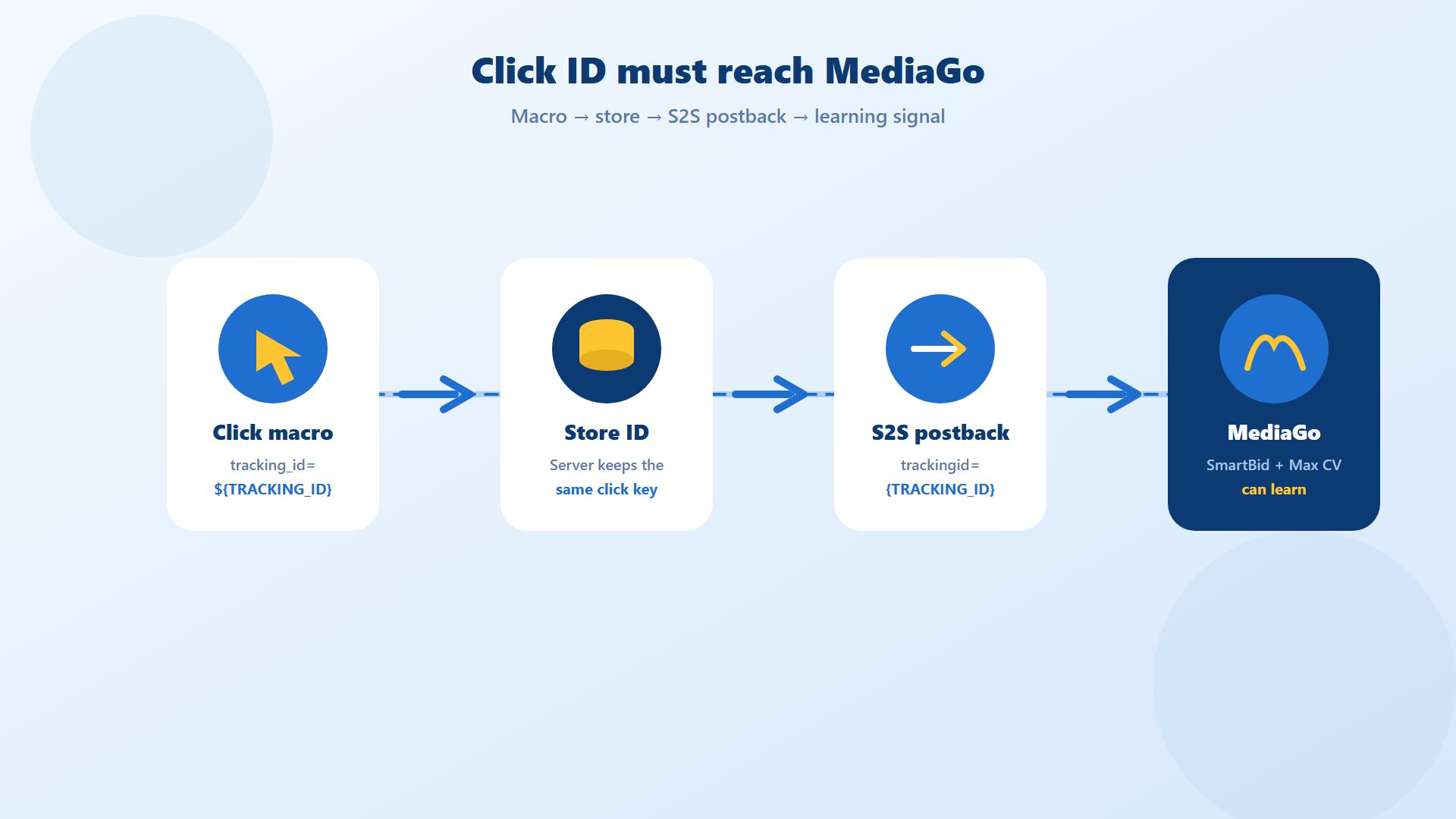
MediaGo's URL parameter tracking guide is explicit. Recommended UTM parameters include utm_source=mediago, campaign and creative macros, and tracking_id=${TRACKING_ID} for server-to-server postback. The tracking field cannot include characters such as ?, @, #, /, spaces, or line breaks. For S2S, MediaGo's conversion postback documentation requires trackingid from ${TRACKING_ID}; Without that value, conversions are not tracked.
Tracking failure patterns that kill delivery quality
Tracking ID missing from the click URL
Tracker captures the ID but never stores it for postback
Postback fires with the wrong parameter name or forbidden characters
Redirect chains strip macros before the landing page
Intermediate events fire, but the final conversion flagged for dashboard totals does not
Team optimizes against affiliate or analytics numbers MediaGo never sees
What to do
Paste the live click URL and confirm macros resolve.
Fire a test click and confirm
${TRACKING_ID}is stored.Send a test postback with the required
trackingidand confirm MediaGo records the conversion.Align event names with the business action you want to buy: lead, purchase, registration, or another final event.
Only then judge SmartBid, Max CV, or target CPA performance.
Broken tracking is not a reporting inconvenience. On a data-driven native DSP, it is a delivery and ROI problem.
For a broader view of how MediaGo's buying model differs from other native networks once measurement is healthy, see Novabeyond's comparison of MediaGo, Taboola, and Outbrain for e-commerce.
5. Protect Learning Time, Then Scale With One Change at a Time
MediaGo's zero-traffic framework also lists campaign duration. Buyers often kill or rebuild a campaign before it has enough eligible hours to prove anything.
A useful diagnostic window is not one afternoon of panic edits. After you clear approval, targeting, bid, and tracking blockers:
Keep major settings stable for a defined read window
Evaluate delivery across peak and off-peak publisher hours
Change one lever at a time
Log every change with time, reason, and expected signal
If spend returns but CPA is unstable, diagnose with spend and CPA together rather than reacting to either metric alone. Rising CPA with falling spend often points to creative fatigue, over-filtering, or signal loss. Flat spend after a bid cut often points to auction exit, not "the algorithm broke."
When the same zero-traffic pattern repeats across multiple MediaGo campaigns, the bottleneck may be operational: seat permissions, funding friction, review cycles, creative QA, or postback ownership. Parallel mobile UA teams face a similar diagnostic stack on other platforms. Novabeyond's Mintegral not spending playbook uses the same discipline on a different inventory type: isolate the layer, then fix it.
An agency ad account relationship does not replace a correct CPC or a clean landing page. It does help when the recurring failure sits in review coordination, funding, multi-GEO structure, or day-to-day optimization support across native and display flights.
| Layer | Self-managed risk | Operator support value |
| Approval | Slow resubmits, unclear rejection loops | Pre-checks on URL and creative before relaunch |
| Targeting | Permanent over-blocking | Blocklist hygiene and inventory triage |
| Bidding | Panic edits during cold start | Controlled bid and budget ladders |
| Tracking | Silent postback failure | End-to-end click ID and conversion tests |
| Scaling | Stacked changes, no read window | Change control and dual-format expansion |
FAQ
1. Why are my MediaGo ads not delivering?
Most zero-traffic cases come from approval blocks, over-restricted targeting or blocklists, non-competitive CPC or automated bid settings, broken tracking, or too little stable runtime. Confirm status and URL approval first, then move down the checklist.
2. My MediaGo campaign is Active. Why is spend still zero?
Active means the campaign is turned on. It does not guarantee approved creatives, an approved destination, eligible inventory, or a winning bid. Check child statuses and auction eligibility before raising budget.
3. Can a MediaGo blocklist cause zero traffic?
Yes. Aggressive site or publisher exclusions can remove most of the inventory your GEO and format can buy. Review the block list whenever a new campaign launches with clean creatives and still shows no impressions.
4. Should I raise CPC immediately if MediaGo is not spending?
Only after approval and targeting pass. If those layers are clean and impressions remain near zero, test a controlled CPC increase. Do not stack bid, audience, and creative changes in the same hour.
5. How do MediaGo SmartBid or Max CV modes affect delivery?
Automated modes need reachable budgets and usable conversion signals. If postbacks are missing or the optimization event is wrong, delivery can stall or spend inefficiently. Verify tracking before you blame the bid mode.
6. What tracking fields are required for MediaGo conversions?
MediaGo's docs treat tracking_id=${TRACKING_ID} as required for S2S postback setups, and the postback must return that value as trackingid. Without it, conversions are not tracked in the platform.
7. How long should I wait before rebuilding a MediaGo campaign?
After you fix a known blocker, give the campaign a defined diagnostic window across peak hours before rebuilding. Frequent rebuilds erase the read and create new cold starts. Change one variable, then measure.
8. When does an agency ad account help with MediaGo delivery issues?
Use agency support when the same approval, funding, tracking, or multi-campaign conflicts keep recurring. Agency help cannot repair a banned landing page or a CPC that never clears the auction. It can shorten diagnosis and stabilize operations.
Conclusion
MediaGo ads not delivering is usually a diagnostic problem, not a platform myth. Start with approval and destination review. Then clean targeting and blocklists. Then prove the bid can win. Then prove tracking can teach the algorithm. Then protect a stable read window before you scale.
That order protects ROI. It stops teams from buying more of a broken setup, and it stops teams from rebuilding healthy campaigns because one afternoon of stacked edits looked like failure.
Novabeyond works with advertisers across Emerging Media Solutions, including MediaGo native and display operations, agency ad account support, and campaign troubleshooting. If your MediaGo flight is live but stuck at zero traffic, identify the blocker first. Then restore spend with a controlled change.
more posts
MediaGo URL Pre-Approval: Landing Page Checklist and Fixes
October. 30 2026
LEARN MORE

Beyond the Duopoly: The 2027 Guide to Alternative Traffic Sources and Emerging Media Solutions
October. 26 2026
LEARN MORE
Taboola Agency Ad Account Setup: Access, Funding & Compliance
October. 16 2026
LEARN MORE
Moloco Ads Optimization: Surviving the Learning Phase and Scaling iROAS (2026)
October. 08 2026
LEARN MORE